Products Mentioned in this Review
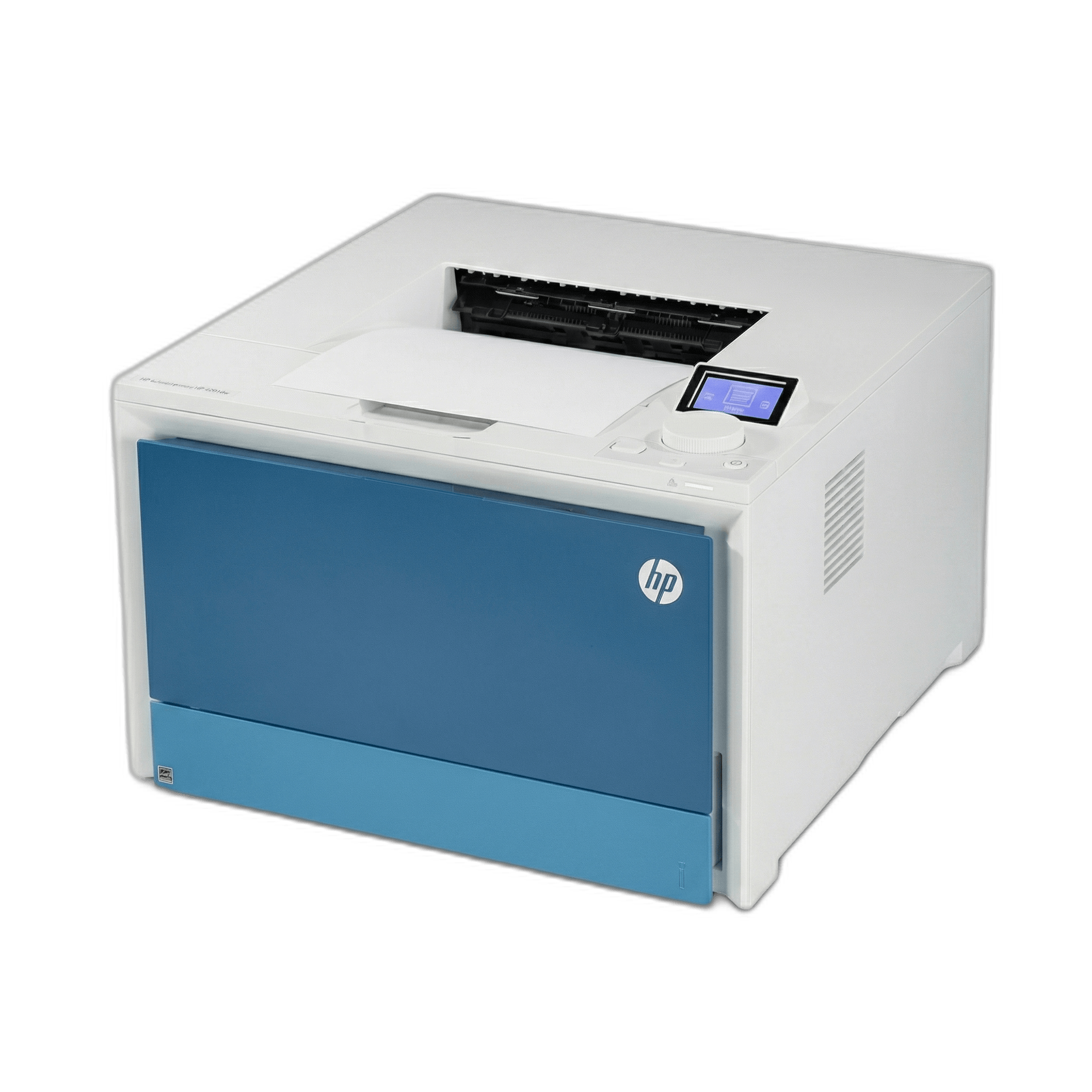
HP Color LaserJet Pro 4201dw
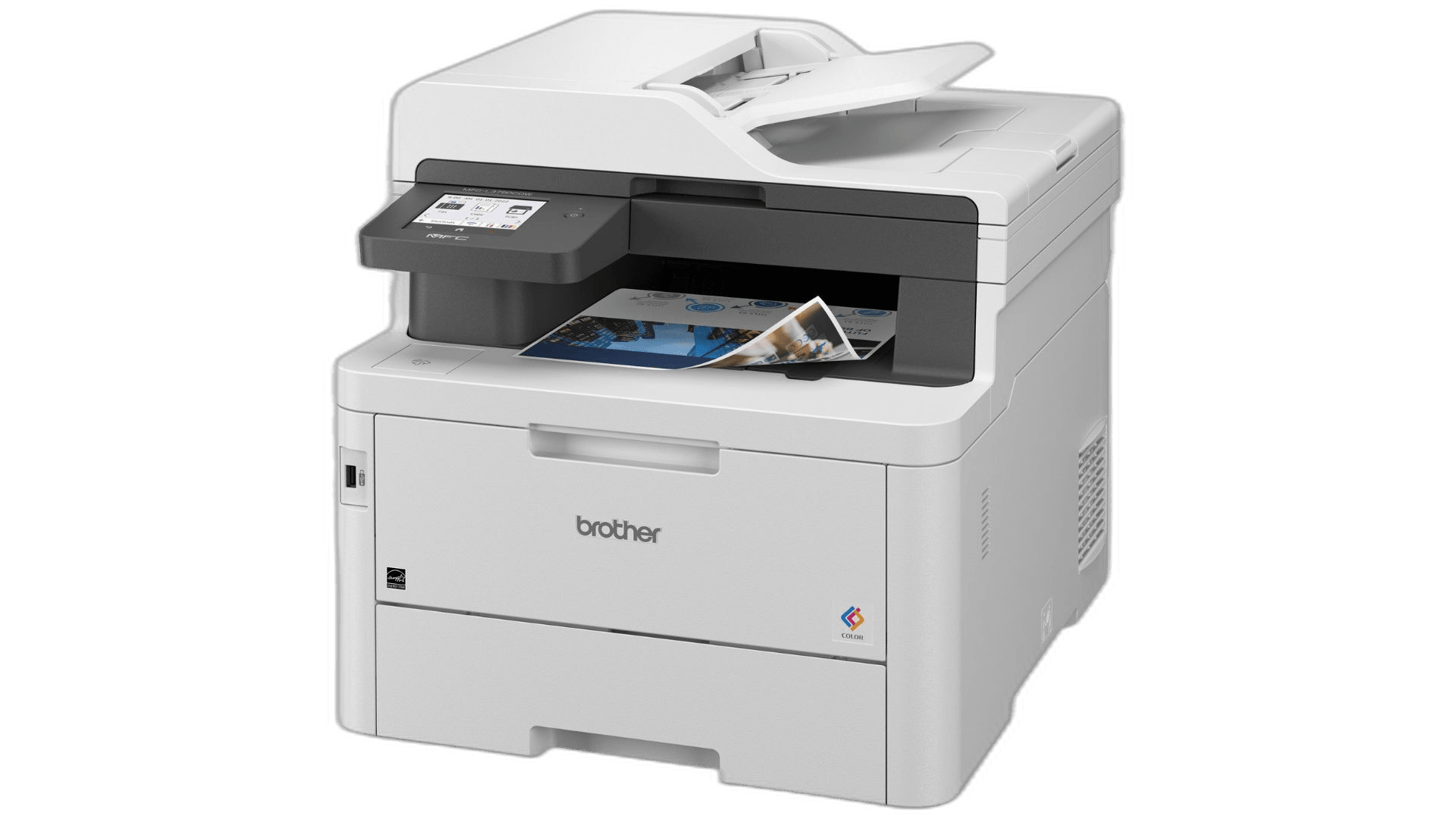
Brother MFC-L3780CDW
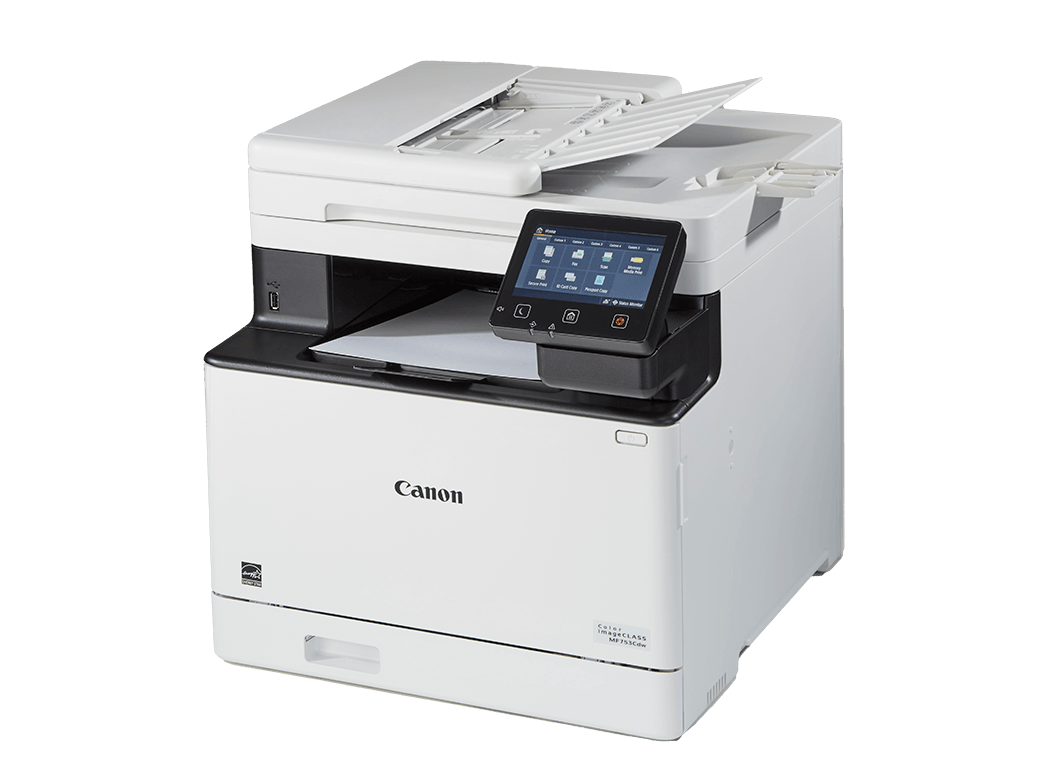
Canon Color imageCLASS MF753Cdw
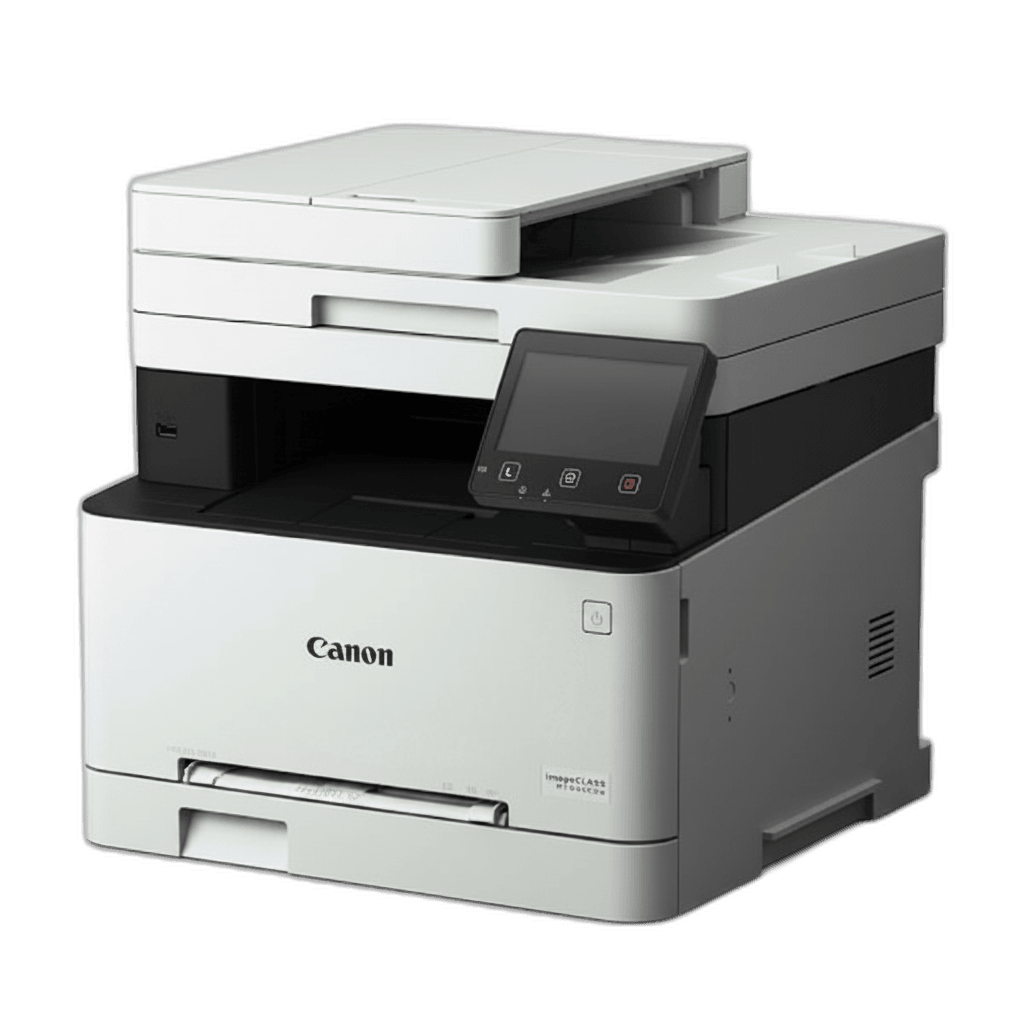
Canon Color imageCLASS MF644Cdw
Canon Color imageCLASS LBP674Cdw
HP Color LaserJet Pro MFP 3301fdw
Xerox C235
Brother MFC-L8610CDW
Kyocera ECOSYS P6230cdn
HP LaserJet Pro 4001dn
What "USB Direct Printing" Actually Means
The term gets used loosely, so let's be specific. There are two different USB use cases:
USB device port (rear): The standard USB-B or USB-C port on the back of most printers. You connect a cable from your computer to this port to use the printer as a wired peripheral. This is on virtually every laser printer ever made.
USB host port (front): A USB-A slot, usually on the front panel or top of the printer. Plug in a flash drive and the printer treats it like a storage device — browse files directly from the printer's screen and select what to print. No computer required. This is what people mean by "USB direct printing" and "walk-up USB printing."
For walk-up printing you need the second type. The printers below all have it.
Brother MFC-L3780CDW — Best Overall
Score: 9.4/10 · $499 · 31 ppm
The MFC-L3780CDW is the printer that shows up most often when you ask r/printers which color laser to buy — and after reviewing the specs alongside user feedback, the praise is earned. It prints, copies, scans, and faxes. The single-pass duplex ADF can scan both sides of a page in one pass, which matters a lot if you regularly digitize double-sided documents. That's a feature usually reserved for pricier machines.
The front USB-A host port is clearly labeled and handles PDFs, JPEGs, and TIFFs without issue. Print quality from a flash drive is identical to what you'd get from a connected computer. Color output is sharp with 2400×600 dpi resolution, and the cost per page sits at 2.66 cents (B&W) and 13.73 cents (color) — below average for the category.
Where it edges out the HP 4201dw is in the scanner. The duplex ADF processes multi-page documents faster, and the OCR functionality is built in. If you scan as much as you print, this is the machine.
Connectivity: Wi-Fi, Ethernet, USB device, USB host, NFC, Bluetooth
Supported USB file formats: PDF, JPEG, TIFF, XPS
HP Color LaserJet Pro 4201dw — Fastest Color with USB Host
Score: 9.2/10 · $429 · 35 ppm
HP put the USB-A host port on the top of the machine, directly next to the control dial, which makes it feel like a first-class feature rather than an afterthought. The push-button dial is a deliberate design choice that takes some getting used to but works well once you're used to it. More importantly, the printer sustains 35 ppm and delivers the first page out in 9 seconds — fast for the price.
Print quality is excellent. Text is crisp, color graphics look accurate, and photo prints on plain paper are better than most laser printers manage. HP's TerraJet toner consistently produces dark, rich blacks. Cost per page is the best in this roundup: 2 cents for black-and-white, 12 cents for color.
The tradeoff: no ADF. If you need to scan multi-page documents regularly, look at the MFC-L3780CDW or the 3301fdw instead. But for a business that primarily prints and wants the fastest color output with walk-up USB, this is the one.
Connectivity: Wi-Fi, Ethernet, USB device, USB host, Bluetooth LE
Best for: Fast output, high print volume, no scanning requirement
Canon Color imageCLASS MF753Cdw — Best Touchscreen + ADF Combo
Score: 9.0/10 · $449 · 35 ppm
Canon built a 5-inch tilting touchscreen into this machine, which makes browsing USB flash drive contents significantly easier than on smaller fixed displays. The screen is responsive, the menus are logical, and you can navigate to a PDF on a flash drive and start printing in about 15 seconds.
Speed is competitive at 35 ppm, and the ADF handles duplex scanning in a single pass. Paper capacity is 550 sheets across two trays, which reduces how often you're refilling paper on a busy day. The USB host port sits at the front, accessible without leaning around the machine.
The main criticism: cost per page runs higher than HP or Brother. At 3.48 cents (B&W) and 17.78 cents (color), you'll spend more on toner over the long run. If you print mostly text documents with occasional color, that gap narrows. But for heavy color printing, the running costs add up.
Best for: Offices that want a large screen and high paper capacity alongside USB walk-up printing
HP Color LaserJet Pro MFP 3301fdw — Best Value Under $400
Score: 8.7/10 · $399 · 26 ppm
The 3301fdw is an all-in-one at a price that makes the color laser category more accessible. At $399, it prints, scans, copies, and faxes — and includes a front USB-A host port for walk-up printing. The 4.5-inch adjustable touchscreen sits just above the USB port, which makes the workflow natural: plug in a drive, browse on screen, print.
Print speed is 26 ppm, which is slower than the top picks, but fine for most home offices and small teams. The ADF supports single-pass duplex scanning, which is a genuine advantage at this price. HP's Smart app connects to mobile devices easily and supports AirPrint, Mopria, and Wi-Fi Direct.
The cost per page is higher than some competitors at 3.12 cents (B&W) and 17.04 cents (color), so heavy volume users may prefer the HP 4201dw or Brother L3780CDW. But for moderate printing with all-in-one features under $400, it's the best option in this comparison.
Connectivity: Wi-Fi, Ethernet, USB device, USB host
Canon Color imageCLASS MF644Cdw — Budget Pick with Full USB Support
Score: 8.5/10 · $349 · 22 ppm
If the budget is the primary constraint, the MF644Cdw offers a full-featured color laser AIO — print, scan, copy, fax — with two USB 2.0 host ports and a 5-inch touchscreen at $349. It's slower at 22 ppm and the paper tray holds only 250 sheets, but the feature set is real and the print quality is solid.
The dual USB host ports are unusual and genuinely useful: you can have a flash drive plugged in while a second USB port handles another peripheral. The 5-inch screen is the largest in this price range and makes browsing flash drive contents straightforward.
Running costs are a bit high — 3.2 cents per B&W page and 15.5 cents per color page — so this is better suited to occasional printing than daily high-volume output.
Xerox C235 — Cheapest Option with USB Host
Score: 8.3/10 · $299 · 22 ppm
The Xerox C235 is worth knowing about for one reason: it's the least expensive color laser AIO in this list that still includes a USB host port. At $299, you get color printing, scanning, copying, and faxing alongside walk-up USB printing from a front-facing port.
Print quality is decent but not as polished as HP or Brother at comparable speeds. The 2.4-inch display is smaller and less responsive than Canon's 5-inch screens. At 22 ppm, it's among the slower options. But for home offices, classrooms, or shared spaces where walk-up printing is a must and budget is tight, the Xerox C235 delivers.
Cost per page is 3.0 cents (B&W) and 16.0 cents (color) — reasonable given the entry price.
Brother MFC-L8610CDW — High-Volume Small Office
Score: 8.6/10 · $599 · 33 ppm
Step up to this machine if the volume is high and the office shares the printer across multiple people. The MFC-L8610CDW prints at 33 ppm, handles 300 sheets in its default tray, and includes the full set of connections: Wi-Fi, Ethernet, USB device, USB host, NFC. The ADF is fast and handles duplex originals.
Cloud connectivity is built in — you can pull documents directly from Google Drive, Dropbox, or OneDrive from the printer's panel, with no computer in the loop. Combined with the USB host port, this covers essentially every scenario for document-based work: flash drives, cloud storage, mobile printing, network printing.
The premium over the MFC-L3780CDW is $100 for higher paper capacity and faster ADF. If the team prints a few hundred pages a week or more, it's worth it.
Canon Color imageCLASS LBP674Cdw — Fast Single-Function Color
Score: 8.8/10 · $499 · 35 ppm
Canon's LBP674Cdw is the single-function version of the MF753Cdw — no scanner, no copier, just printing, at 35 ppm. It has a USB-A host port and 802.11b/g/n dual-band Wi-Fi, and the paper capacity is generous at 550 sheets across standard and optional expansion trays. The print quality is excellent, with vibrant color and sharp text.
If your office already has a dedicated scanner and you want a fast color laser with USB walk-up printing, the LBP674Cdw makes a clean case. If you need a scanner, the MF753Cdw adds that for a small premium.
Kyocera ECOSYS P6230cdn — Lowest Cost Per Page
Score: 8.2/10 · $649 · 30 ppm
Kyocera's printers take a different approach to total cost of ownership: their drum and developer units last much longer than competitors', pushing the cost per page down significantly. The P6230cdn prints B&W at 1.8 cents and color at 8.0 cents per page — the best numbers in this roundup by a meaningful margin.
The catch is the upfront price ($649) and the lack of Wi-Fi. This is an Ethernet and USB-only machine, which suits fixed workstations in an office but not flexible home setups. It also has no ADF or scanner — it's purely a printer. But if you print thousands of color pages a month and want the lowest ongoing cost, the Kyocera pays for itself over time.
Best for: High-volume offices where long-term cost per page matters more than upfront savings
What to Look For When Buying
USB host vs USB device port. Specs pages often just say "USB" — confirm the model has a USB-A host port, usually listed as "USB host," "front USB," or "walk-up USB." The rear USB-B port connects a cable to your computer; it won't work with flash drives.
Supported file formats. Most USB-capable laser printers handle PDF and JPEG. Some add TIFF and XPS. If you're printing from design software or need specific file types, confirm support before buying.
Screen size matters for USB navigation. A 5-inch touchscreen makes browsing through a USB flash drive significantly easier than a 2.4-inch fixed display. If USB printing is a regular workflow, prioritize a larger screen.
ADF if you scan. Walk-up scanning to USB is just as useful as printing from USB — plug in a drive, scan documents directly to it. Most machines in this list support this, but single-function printers like the HP 4201dw and Kyocera P6230cdn do not.
Running costs add up. High-yield toner dramatically reduces cost per page. Brother and HP both offer cartridges that cut per-page costs in half compared to standard toner. Factor this into your decision if you print regularly.
Reddit's Take
Community sentiment across r/printers, r/BuyItForLife, and printer-focused threads consistently points to Brother as the most reliable long-term investment. Users frequently note that Brother machines still accept third-party toner, keep their drivers updated for years, and "just work" without the subscription prompts HP has increasingly introduced.
Canon gets praise for print quality and scan accuracy. HP wins on speed and app integration. Xerox earns mentions for office setups where Linux compatibility and network reliability matter.
The common thread across all of these communities: buy a laser printer, not an inkjet, if you print regularly but not constantly. Toner doesn't dry out when the printer sits unused for a week. The machines in this list will still print cleanly after two months on the shelf.
Final Recommendation
For most people, the Brother MFC-L3780CDW is the right answer: full AIO functionality, best-in-class scanning, strong USB direct printing, lower cost per page than HP or Canon, and a reputation for reliability that's consistent across years of community feedback. At $499 it's not cheap, but it covers every use case and the total cost over three years is lower than most cheaper alternatives.
If budget is the priority, the Xerox C235 at $299 gives you USB host printing in a color laser AIO that works. It's slower and the screen is smaller, but it does the job.
If you print large volumes and cost per page is the deciding factor, the Kyocera ECOSYS P6230cdn wins on economics — just know it's Ethernet-only and doesn't scan.
Data sources: Digital Trends, TechRadar, RTINGS, manufacturer spec sheets, and community feedback from r/printers and r/BuyItForLife. Prices reflect mid-2025 retail averages; actual prices vary by retailer.
Product Comparison at a Glance
| Product | Brand | Price | Print Speed (ppm) | Auto Duplex | USB Host | Paper Capacity | Cost/Page B&W | Action |
|---|---|---|---|---|---|---|---|---|
#1HP Color LaserJet Pro 4201dw | HP | $529.00 | 35 | Yes | Yes | 300 | 2.0c | |
#2Brother MFC-L3780CDW | Brother | $569.98 | 31 | Yes | Yes | 250 | 2.66c | |
#3Canon Color imageCLASS MF753Cdw | Canon | $599.99 | 35 | Yes | Yes | 550 | 3.48c | |
#4Canon Color imageCLASS MF644Cdw | Canon | $598.00 | 22 | Yes | Yes | 250 | 3.2c | |
#5Canon Color imageCLASS LBP674Cdw | Canon | $499.10 | 35 | Yes | Yes | 550 | 2.8c | |
#6HP Color LaserJet Pro MFP 3301fdw | HP | $539.00 | 26 | Yes | Yes | 250 | 3.12c | |
#7Xerox C235 | Xerox | $399.99 | 22 | Yes | Yes | 250 | 3.0c | |
#8Brother MFC-L8610CDW | Brother | $599 | 33 | Yes | Yes | 300 | 2.5c | |
#9Kyocera ECOSYS P6230cdn | Kyocera | $649 | 30 | Yes | Yes | 500 | 1.8c | |
#10HP LaserJet Pro 4001dn | HP | $328.90 | 42 | Yes | No | 350 | 1.5c |